Ours is finished before theirs appears.
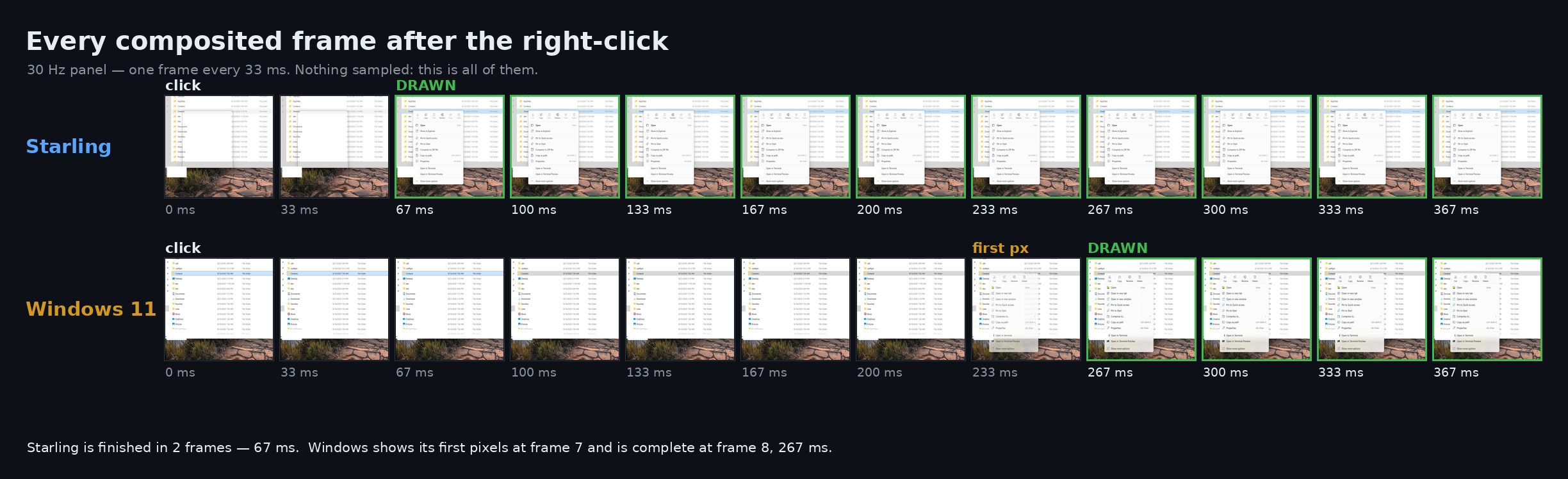
Right-click a folder
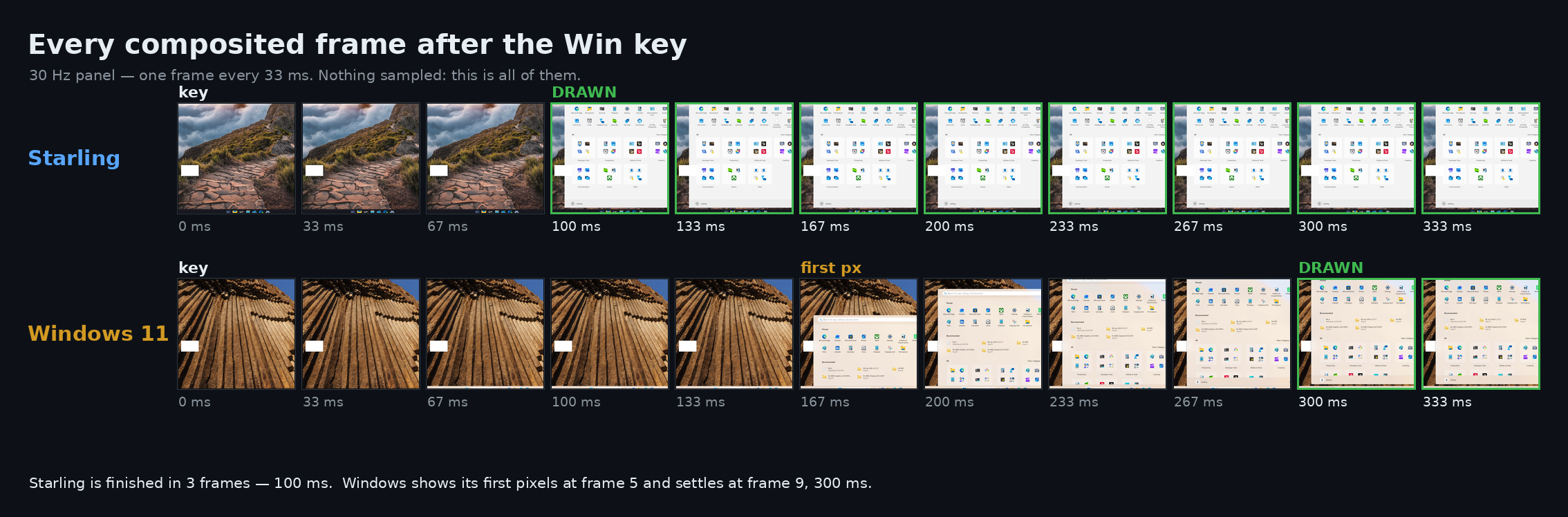
Press the Win key
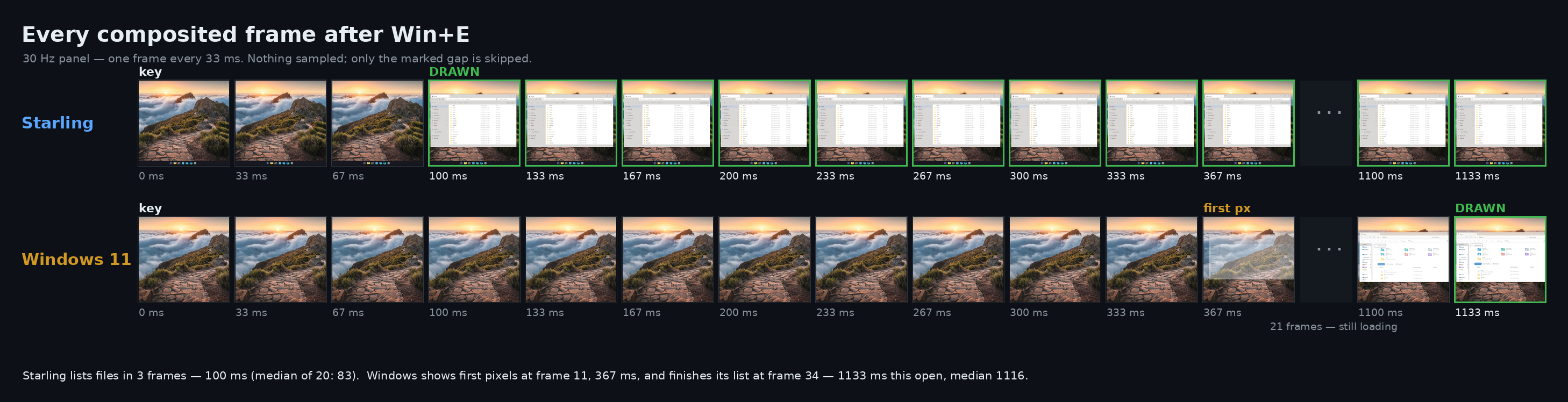
Press Win+E
The clean, fast Windows shell you’ve been waiting for.
It replaces your taskbar, Start menu, desktop and File Explorer. No bloatware, no ads, no waiting. Below: the same PC, the same clicks, filmed side by side against the originals.
100 ms vs 300 ms
67 ms vs 267 ms
83 ms vs 1116 ms
492 MB vs 595 MB
Same PC, twenty runs each. All of the numbers.
No web search, no news feed, no widgets. Start reads what is installed on your PC — Windows keeps 209 MB of web hosts running for its own.
Nothing promoted, nothing suggested, nothing recommended. Your apps, in the order you put them.
When you are not using it, it does nothing — no background tasks, no battery drain. Open Task Manager and watch: it reads zero.
Taskbar, Start menu, desktop, tray, notifications and File Explorer. Your apps keep working — Store apps included — and if the shell ever fails, Windows' own desktop comes back on its own.
They promised “substantially lower latency for search, navigation and context menus” in March. Five months on, the menu in the film above still takes 300 ms.
All of it — with Claude Code. Windows was never slow because the problems are hard. It is slow because fixing them used to take months. It doesn't any more.
powershell -File "$env:LOCALAPPDATA\Programs\Starling\Uninstall.ps1"
# or just unregister, keeping the files:
WinShellBar.exe --unregister-shell
sdk\tools\build-windows.ps1 -Product WinShellBar -Configuration release
A preview, developed and tested as a daily driver. Every number on this page has its raw capture in the repository.